
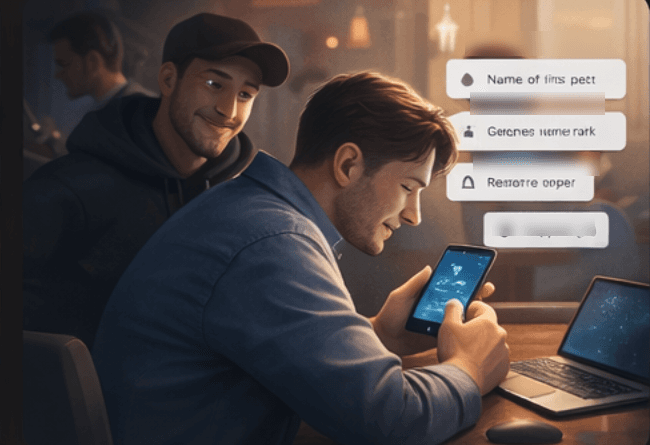
What shoulder surfing looks like
Shoulder surfing happens when someone watches your screen, keyboard, or phone while you sign in, enter a code, or read a message. It works because people naturally let their guard down in waiting rooms, airports, coffee shops, schools, and shared offices.
The answer is not fear. It is awareness. Small habits like turning slightly, lowering screen visibility in public, or using a privacy screen can block easy information leaks.
What social engineering really means
Social engineering is when someone tricks you into giving information, access, or trust. It can happen by text, email, social media message, phone call, or even in person.
The most common version is fake urgency: your account is locked, your package is delayed, or support needs you to act right now. The pressure is the point. It is meant to stop you from thinking clearly.
- Unexpected texts with urgent links
- Fake support messages asking you to install software or share a code
- Social media messages that push you to act quickly
- Phone calls asking for details you did not expect to give
Why harmless-looking social posts can still help attackers
Posts about your first car, first pet, favorite teacher, birth city, or childhood street can reveal details still used for account recovery or identity checks.
Even when a service no longer uses those exact questions, that kind of personal detail helps attackers build a more believable story.
Simple habits that make accounts safer
Good everyday security is not about becoming paranoid. It is about slowing down just enough to notice what does not fit.
- Do not type sensitive codes where other people can easily see them
- Pause before clicking urgent links in texts or messages
- Avoid posting personal-answer games on public social media
- Use strong passwords and multifactor authentication where available
- When in doubt, go to the company directly instead of using the link you were sent
If you think you already slipped up
If you entered a code, clicked a suspicious link, or shared more than you should have, do not panic. Change the password, review active sessions if the service offers that option, and update multifactor authentication. Acting quickly matters more than feeling embarrassed.